Omnichannel Fulfillment: One Stock, Many Channels
How omnichannel fulfillment works, how it differs from multichannel and what to ask a provider.

Key takeaways
- Omnichannel uses one shared inventory for all channels.
- Sync prevents overselling.
- Channels differ in packing and labeling rules.
- Look for integrations and parcel plus pallet handling.
On this page
Omnichannel fulfillment means selling in several places, such as your own store, marketplaces and retailers, and serving them all from one inventory. Customers see one brand; behind it, one stock pool feeds every order. This guide explains how it works, what it needs and what can go wrong. For a general definition, see the Wikipedia entry on omnichannel.
How it works
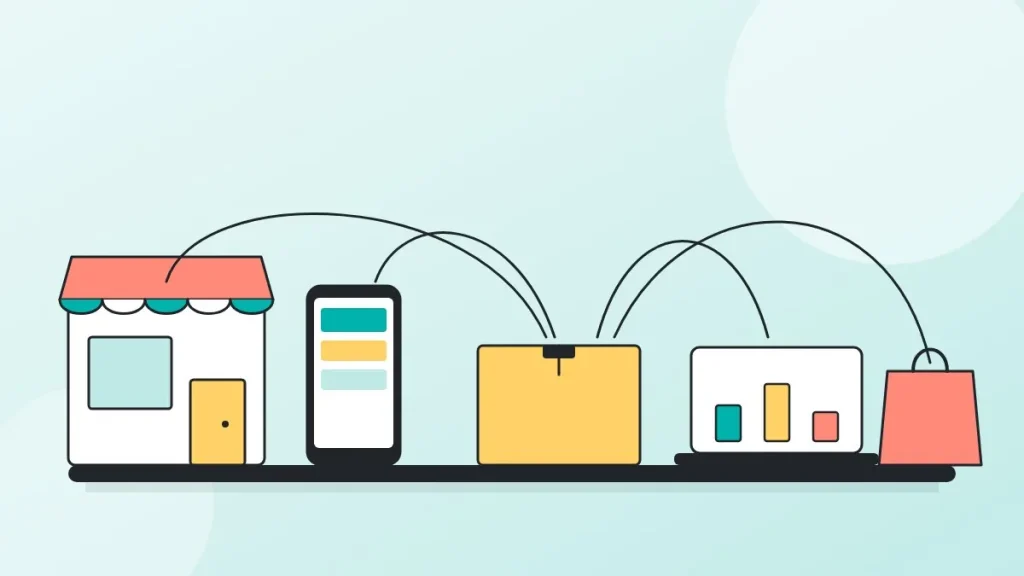
- One inventoryAll stock lives in one system.
- Orders from every channelStore, marketplaces and retail partners.
- Routing rulesEach order gets the right packing and carrier.
- Sync backInventory and tracking update every channel.
Omnichannel vs. multichannel
| Multichannel | Omnichannel | |
|---|---|---|
| Inventory | Separate per channel | Shared pool |
| Risk | Stockouts on one channel while another has surplus | Lower, with shared visibility |
| Customer view | Different experience per channel | Consistent |
What different channels require
| Channel | Typical requirement |
|---|---|
| Own store | Branded packaging, fast parcel shipping |
| Marketplaces | Labels and rules set by the marketplace |
| Retailers and wholesale | Pallets or cartons, routing guides, compliance labels |
For retail and wholesale orders, see B2B fulfillment.
What to look for in a provider
- Integrations with your store and marketplaces.
- Real-time inventory sync across channels.
- Ability to handle parcels, cartons and pallets.
- Rules for packing by channel.
See our services and the integrations list for what we connect to. For choosing among providers, use how to choose a fulfillment provider.
Inventory allocation rules
| Approach | How it works | Watch out for |
|---|---|---|
| Shared pool | All channels draw from the same stock | Fast sellers on one channel can drain the others |
| Safety stock per channel | A set quantity reserved for each channel | Reserved stock sits idle if that channel slows |
| Priority rules | Higher-margin or contract channels first | Needs clear rules and reporting |
Order routing and packing rules
- Tag each order with its source channel so the right rules apply.
- Use channel-specific packing slips, inserts and labels.
- Route marketplace orders to the carrier and service the marketplace requires.
- Keep branded packaging for your own store and plain packaging where the marketplace demands it.
Checklist for adding a channel
- Read the channel’s fulfillment, labeling and delivery rules.
- Connect the channel to your inventory system and test one order.
- Set allocation and safety stock.
- Agree packing and returns handling with your provider.
- Watch sync, late-shipment and cancellation rates for the first month.
Common mistakes
| Mistake | Fix |
|---|---|
| Delayed inventory sync causes overselling | Real-time or frequent sync and safety stock |
| One packing method for every channel | Channel rules in the warehouse system |
| Manual order entry for small channels | Connect every channel or use a connector |
| No channel-level reporting | Report cost and speed per channel |
A simple omnichannel setup, step by step
- Pick one source of truth for stock. The warehouse system holds the count and every channel reads from it.
- Connect each channel. Online store, marketplaces and retail accounts send orders into one queue. See our integrations.
- Set allocation rules. Decide how much stock each channel can sell and what happens when a channel runs low.
- Write packing rules per channel. Marketplaces and retailers have their own labels and packaging requirements.
- Review weekly. Check stockouts, oversells and late orders by channel.
What goes wrong without a shared stock pool
When each channel has its own stock count, the same unit can be sold twice, and a popular item sells out on one channel while it sits unsold on another. The usual symptoms are cancelled orders, marketplace penalties and a manual spreadsheet that nobody trusts. A single inventory record, updated every time the warehouse receives, picks or adjusts stock, removes most of these problems.
Channel by channel: what changes
| Channel | Main difference for the warehouse |
|---|---|
| Own online store | Branded packaging, flexible shipping speeds, returns handled by you |
| Marketplaces | Strict cut-offs, labeling and performance metrics set by the platform |
| Wholesale and retail | Cartons or pallets, compliance labels and delivery appointments. See B2B fulfillment |
| Subscription | Scheduled batches and stock planned ahead |
When omnichannel is worth the effort
Adding a channel brings new revenue but also new rules and more exceptions. It is worth it when your product sells well in the new channel, when the channel margin covers the extra handling, and when your stock data is accurate enough to avoid overselling. If stock accuracy is still a problem, fix that first.
Frequently asked questions
What is omnichannel fulfillment?
Serving every sales channel from one shared inventory with consistent processes.
How is it different from multichannel?
Multichannel keeps stock separate per channel. Omnichannel shares one stock pool.
What is the biggest risk?
Overselling when inventory counts are not synced in real time.
Can one warehouse serve retail and online orders?
Yes, if it can pick single parcels and also build carton or pallet shipments.
What integrations are needed?
Your store platform and each marketplace, so orders, stock and tracking flow automatically.
Anton Kashirin
Anton founded EcomAutomation, the company behind EcomAutoPrep. He works with Amazon FBA sellers and DTC brands on receiving, prep, kitting and shipping, and reviews the guides on this blog against how orders move through the warehouse.